

For a Central West business, an online presence is useful when it helps someone decide whether you can do the work they need. A website, directory listing and social profile should answer practical questions rather than repeat broad claims about being the best.
Start with the details customers look for: your services, the towns you genuinely cover, examples of your work and a reliable way to contact you.
Explain what the business does
A trade business, early learning centre and professional practice need different information. Write for the customer who is comparing options and may know little about your business.
Give each main service a clear description. Explain what is included, who it is suitable for and any details a customer should send when asking about availability or a quote.
Use local examples that show your work
Relevant photos help make a service more concrete. For a renovation, that might be a completed project with a short description. For an equipment-based business, show the equipment and explain the type of job it suits.
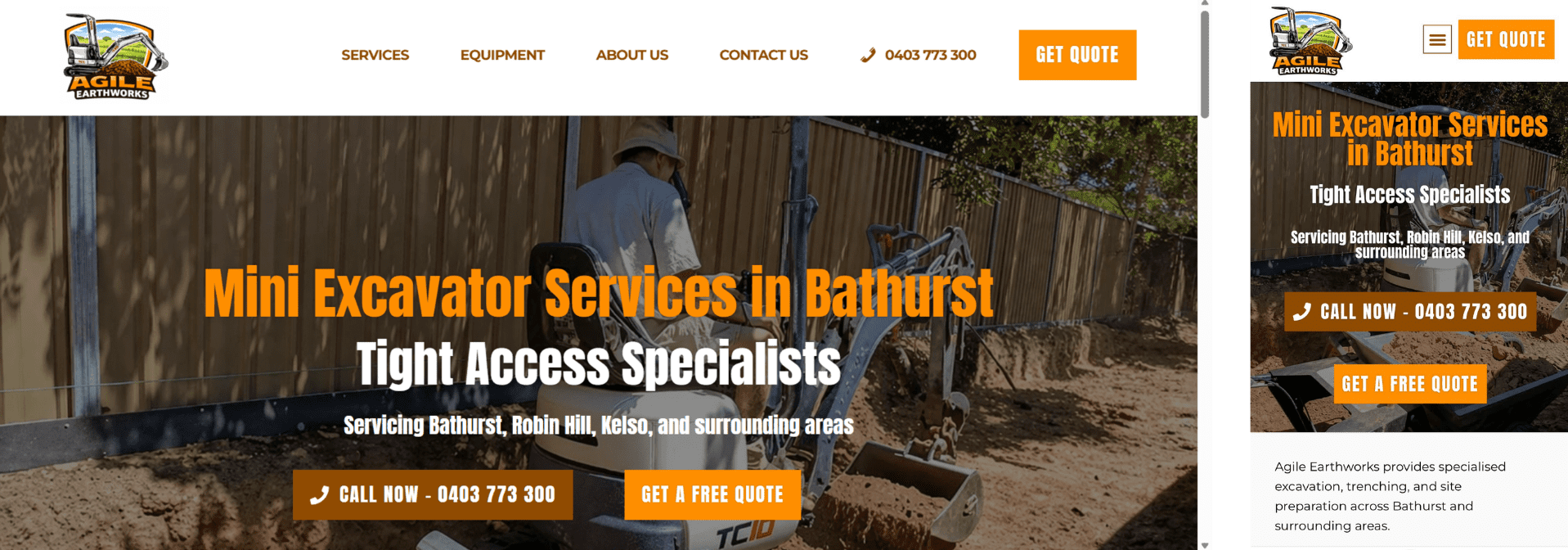
The example above shows how a Bathurst excavation business presents its services. It is a design example, rather than evidence that a particular layout will produce a guaranteed increase in calls.
Describe your genuine service areas
If you work across Bathurst, Orange, Lithgow, Oberon or other Central West towns, explain the areas you cover and any practical limits. Avoid implying you have a staffed office in a town when you provide the service remotely or travel there.
A useful location page answers a distinct customer question. It might explain the services available in that area, show relevant projects or describe how booking works. Repeating the same paragraph under a new town name gives readers little extra information.
Check your website on a phone
Look at the site using a normal phone connection. Read the opening section, open a service page and try the main contact option. Text should be readable without zooming, and important information should not depend on tiny lettering inside an image.
Test the enquiry form as well as the layout. Check the confirmation message and make sure the enquiry reaches the inbox you actually monitor.
Keep business listings current
Directory profiles can remain online for years. Review the website address, phone number, email, service details and any prices shown. An old domain or outdated payment promise can confuse someone who is ready to enquire.
Update existing profiles where you can, rather than creating duplicates to fix a spelling or contact change.
Choose the next improvement from real questions
Ask what customers most often need clarified. If they repeatedly ask whether you cover their town, make the service area easier to find. If enquiries lack useful job details, improve the guidance beside the form.
- Review the main service descriptions.
- Add a few clear, relevant project photos.
- Check contact details across your main profiles.
- Test the phone link and enquiry form.
- Record what changed so you can review the effect later.
If you would like help deciding what to improve, the Central West website design page includes local examples and a way to discuss your existing site with Blair.
